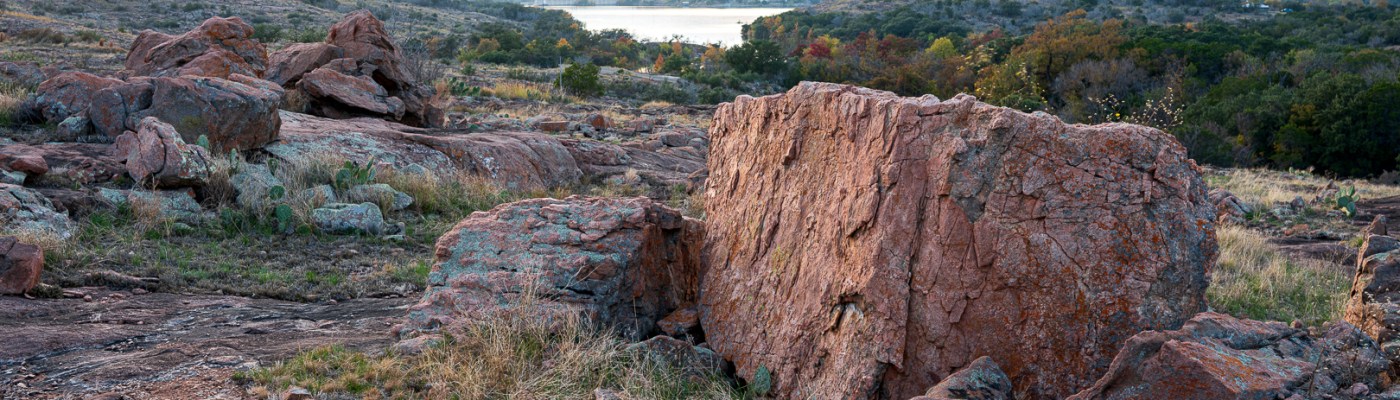
I recently sold a camera (Nikon Z50) and bought a new camera (Nikon Z6III), mainly because it has much better auto-focus and high-speed shooting performance for wildlife. So far I am very happy with the auto-focus and speed performance as it is everything I expected. But it also has another feature that I have been curious about, and that is pixel shift. Many camera brands have this feature, but I am looking at the implementation on a Nikon Z6III in this blog post.
Pixel shift is a feature that allows you to set the camera to automatically take multiple photos, shifting the sensor slightly for each image. These images can then be merged using the Nikon NX Studio software to create a higher resolution image. In the case of the Nikon Z6III the standard image is 6048 x 4032 (about 24 megapixels) and an image created from merging 32 images is 12096 x 8064 (about 97 mega-pixels). So, theoretically you would expect four times the detail in a merged image. But I had my doubts, mainly because I don’t think the lenses are that good. So I have performed some experiments not because I want super high resolution images, but because I am curious.
First, a scene at the lake taken with the Nikon Z6III with a 24-200mm f/4-6.3 lens. This is one of the value lenses and not the highest optical quality. The image below is the merged image, but not exported at full resolution because it is a 517MB file.

Next I have crops of the single frame image and the merged image for comparison. On the left is the crop of single frame image (636 x 636) and on the right is the crop of the merged (1272 x 1272) higher resolution image. Looking at the texture of the tree bark, I think the single frame image looks better even though it has a fourth of the resolution of the merged image. I am a bit confounded by this as I was expecting the opposite to be true.


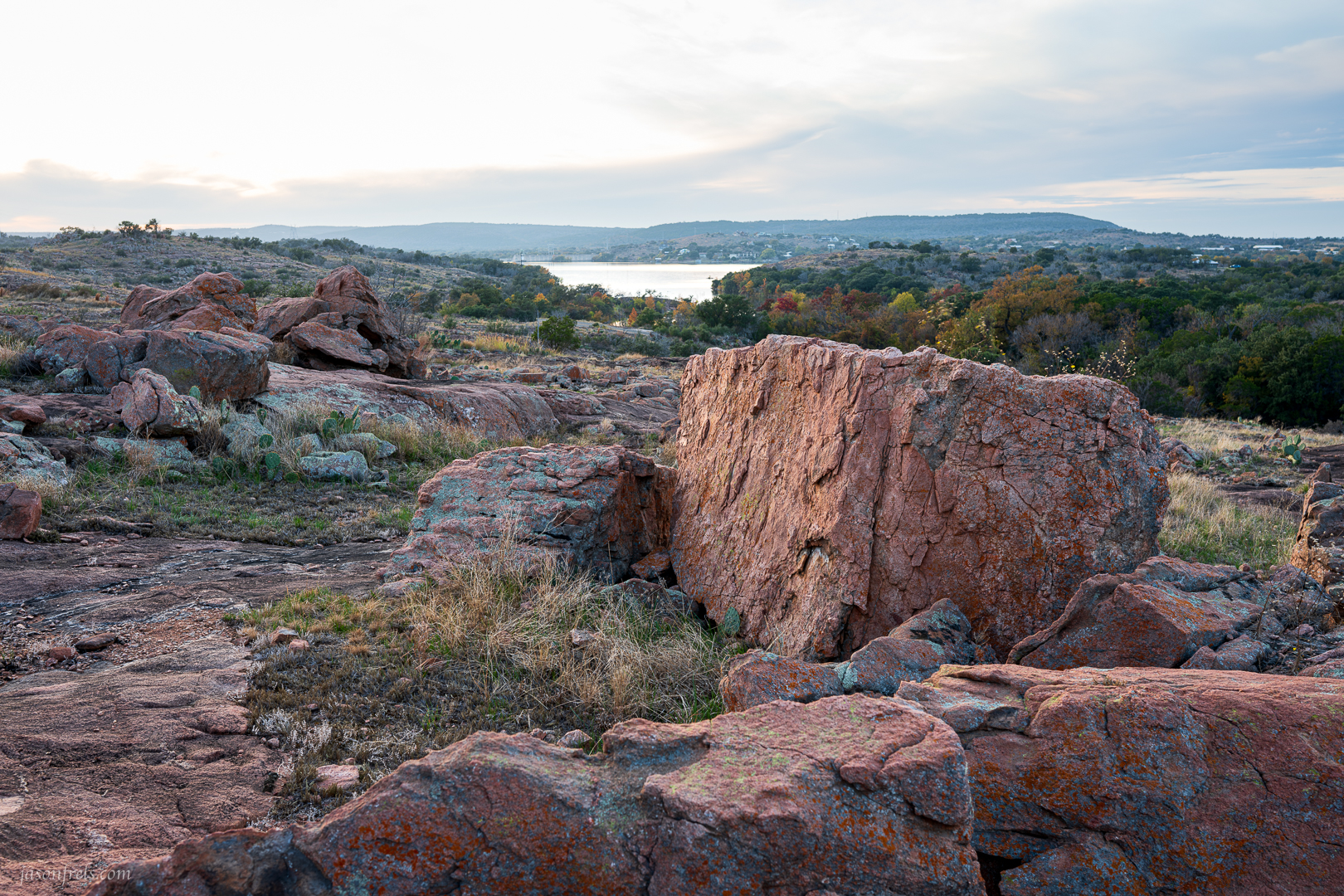
Maybe it’s the lens. Trying to get that sort of resolution out of the 24-200mm superzoom is pointless. When I was at the lake that morning, I didn’t have my 35mm f/1.8 prime with me and that is the sharpest lens I own. So, a few days later I made another experiment using the 35mm lens this time. I made certain that my tripod was stable, there was no wind to shake the camera, I put in a 2 second delay so that I wouldn’t cause camera shake. This should be ideal conditions for a pixel-shift image. Below is an image of some boulders taken with pixel-shift; 35mm, f/8.0, 1/10s, ISO100. Yeah, the sky is blown out, but I was more worried about the boulders and not about shooting HDR.
Below are some crops of the boulder that I set focus on, side-by-side for comparison. On the left is a single frame and on the right is the merged image. All of the edits and crops were copied onto each image. Still, the single-frame is better in my opinion. Look at the lichen on the boulder; much more detailed in the single-frame image.
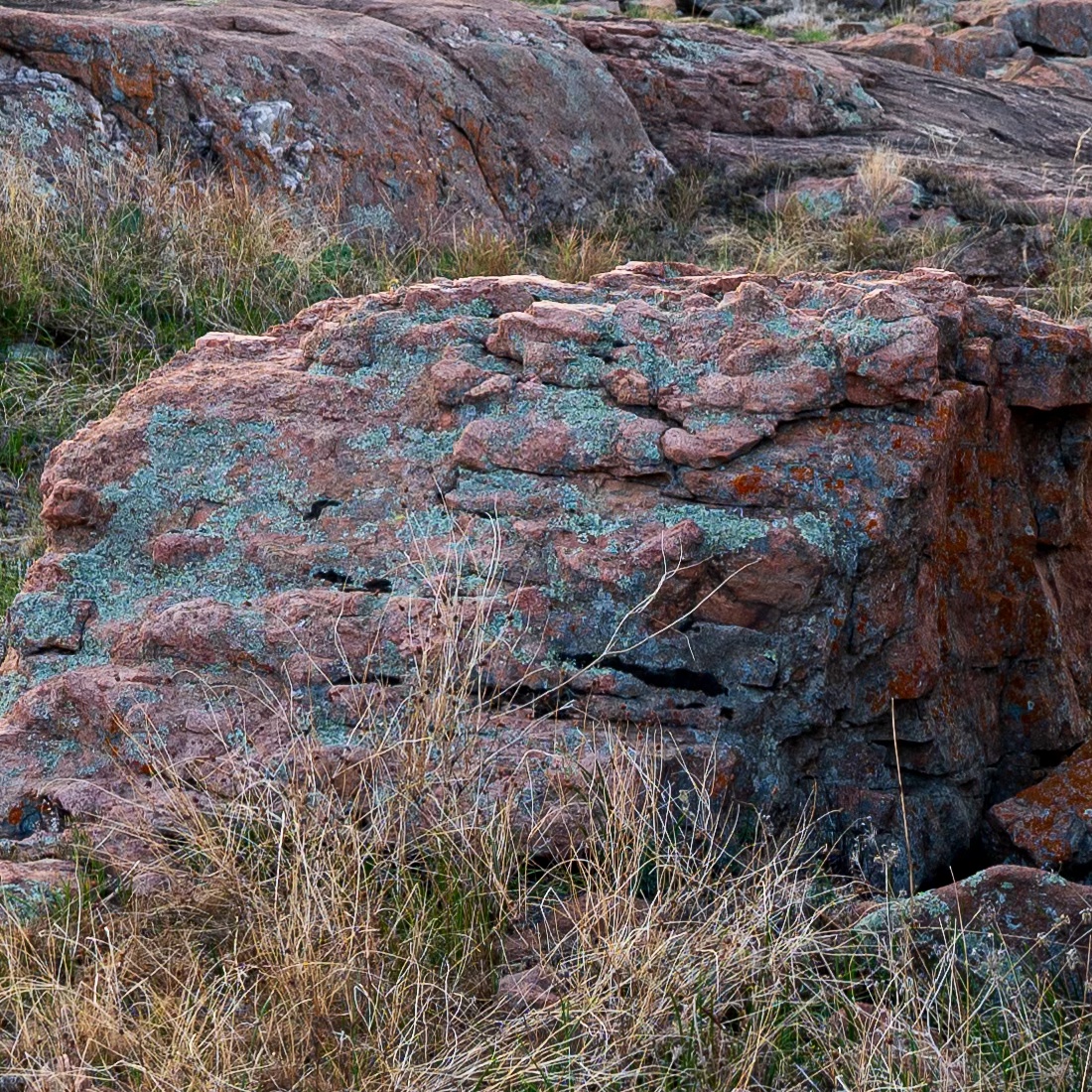
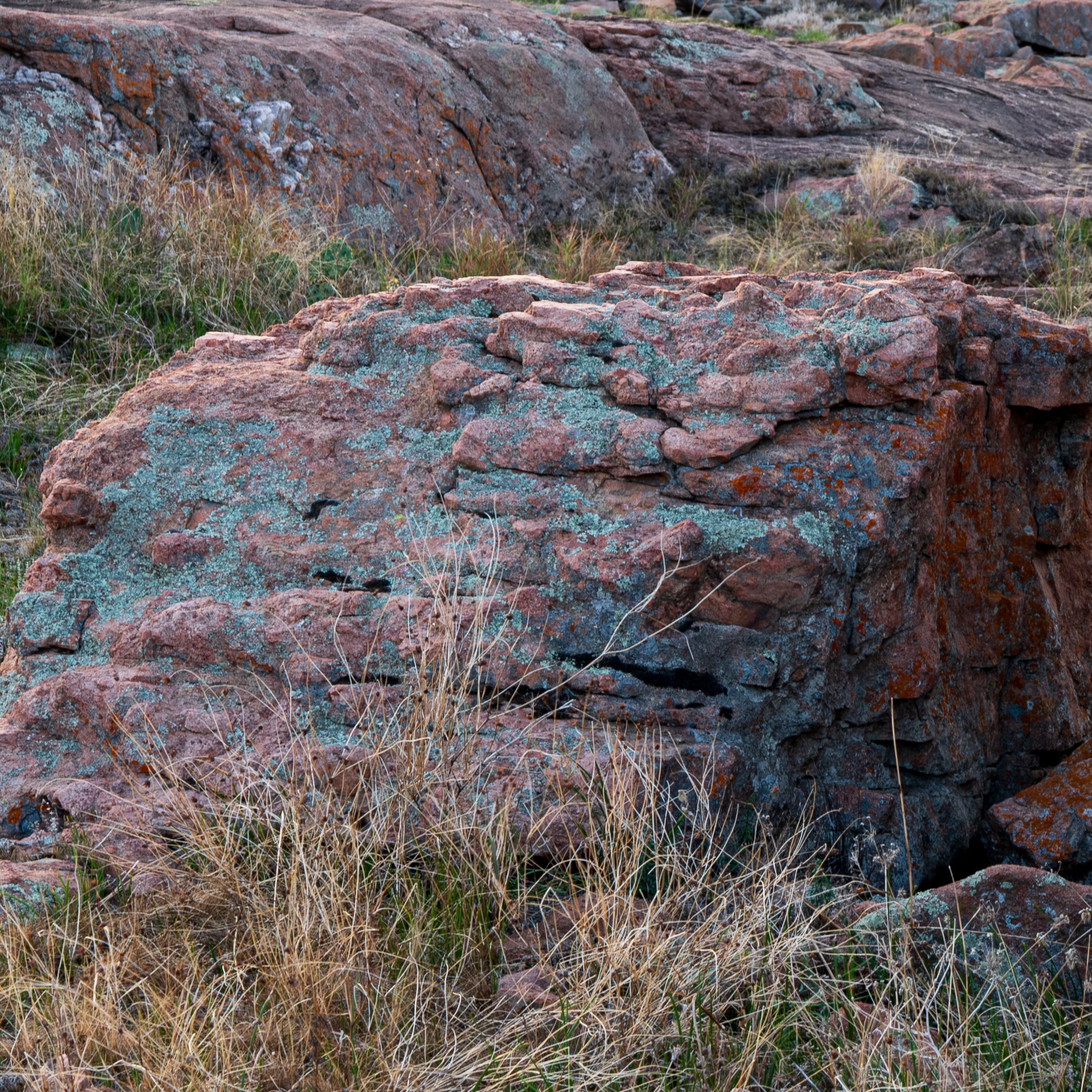
I didn’t understand these results. I wasn’t expecting to be wowed with the improved resolution, but I was expecting the results to be marginally better. I haven’t found much online about people doing similar experiments. Assuming that the results should be better, I was either doing it incorrectly or something is wrong with my camera. I tend to believe it is my technique as Nikon makes a darned fine camera.
One option that I didn’t try was adding a delay between photos as I didn’t consider it necessary, but there is a chance that this poorer image quality is caused by shutter-shake. There is the option to add a delay between photos, so I tried this using my bookcase as a subject in my wind-free office. First I ran the pixel mapping function, like the manual suggests, though this is ostensibly to reduce the impact of ‘hot pixels’ but I figured it couldn’t hurt. I used the same 35mm f/1.8 lens and set the aperture to f/4, which is where it reaches peak center-sharpness according to what I have read. I put the camera on a tripod, set it to take 32 pixel shifted images, with a 2 second start delay and a 1 second delay between images. I then pressed the shutter button and sat back and let the camera do its thing. So with all that, I have the single-frame (left) and merged image (right) below for comparison. I focused on the center of the frame, which were the letters “Ernest Hemingway” on the book binding. What do you think?


So, at last I think I have a higher resolution image that is at least as sharp as the single frame image but with greater resolution. If you keep zooming in to the pixel level, you do get four times more detail in the merged image. I think the key point was adding a delay between images to minimize shutter-shake. I suppose you could also use a really fast shutter-speed, but you would probably have to up the ISO and get more noise which would defeat the purpose of a high-resolution image.
So, in conclusion, I think it is possible to get good results from this feature if you have plenty of patience, a really good lens, and an extremely well-behaved subject; but for most situations it is probably not worth the effort. I didn’t care anything about the pixel-shift feature when I bought this camera, so this is just a curiosity to me. The features that I do care about, the animal autofocus and high-speed shooting are amazing with this camera and it writes to the memory card so fast that you cannot fill up the buffer. It is a bit heavier than the Z50, but it is still a good hiking companion for when I want to travel lightly.
If your camera doesn’t have this feature but you must have gigantic file sizes, there is also the option of upscaling an image in Photoshop. Though now you are adding in data that wasn’t actually present in the scene but rather estimated by an algorithm. I have done this before and found the result to be unimpressive. Besides, I have a large 36″ x 24″ print hanging on my wall right in front of me that was shot with a 24MP camera and it looks great even if I stand 6 inches from it (which is a ridiculous thing to do).
Thanks for reading. Let me know what you think below?
 Jason Frels
Thanks for doing this work. Now I know not to buy a camera based upon its pixel-shift feature. Seems like a gimmick to me.
However, in the first set of comparison photos, I noticed that the leaves of the trees seem to be slightly less blurry in the pixel-shift photo than in the single frame. Or maybe that’s just my imagination playing tricks on me. At any rate, the difference is only slight. I agree with you about the tree bark, though. To me, it looks better in the single frame photo.
LikeLiked by 2 people
Heck, I may have missed focus on that image. I tend to blame user error for anything wrong as this user makes a lot of errors.
I just noticed that the image compare feature does not work in the WordPress reader, but works fine if you load the webpage.
LikeLiked by 2 people
I generally go to people’s web pages when I read their blogs, so it worked well for me.
LikeLiked by 2 people
I try to do that as well as I want to see how they want the content displayed
LikeLiked by 2 people
And no, I would not buy any camera specifically for this feature.
LikeLiked by 1 person
Good advice.
LikeLiked by 1 person
Jason, experimenting is always good, even if technical and not aesthetically. The Olympus cameras have had this technology since maybe 2018? While sometimes it can be helpful, other times not so much. The delay time for the Oly cameras is when a photographer is using a flash, so the flash has recycle time built in between each shot.
Another photographer, Dennis Mook, Wandering Lensman, did a comparison between Nikon and Olympus to see if there is any difference between a large sensor camera and a smaller sensor camera. His results snowed not much difference, and he got as good of results just upscaling through a program like Topaz Gigapixel.
I have tried the handheld high res (which uses the pixel shift to create the larger files) on my Olympus bodies and sometimes it works and sometimes not. Haven’t figured out why. Any sort of movement will create an error.
But it is nice to have options for creating larger scale works. Some of my 20meg images run through Gigapixel print large just fine. Others print just fine large without any additional altering other than toning and maybe some slight color correction.
Keep experimenting, it’s how we grow.
LikeLiked by 2 people
I also have a Z7II that is much higher resolution at 45.7MP or something like that. I can definitely see the improvement over the lower resolution image. I mainly got the Z6III as it is really good at wildlife. For shooting landscapes I much prefer the Z7II.
Beyond any of that, I think it is also very dependent on the lens you are using. If I am using my lower cost lens, it generally won’t resolve as well as my higher resolution camera anyway.
LikeLiked by 2 people
It’s good to know some of this high tech stuff isn’t worth the effort.
Most of our camera’s at home are basic point and shoot ones.
LikeLiked by 1 person
They have to keep adding pointless fancy features to keep selling new cameras to suckers like me.
LikeLiked by 2 people
Being curious can be a good thing and can be fun.
I agree about the lichen being more detailed in the single image. I liked the single frame image better of Ernest Hemingway, too. What is the title of the Ernest Hemingway book? I am curious. 🙂
LikeLiked by 1 person
Oh, you’d love it. It’s about a bell. A bell that tolls. For whom the bell tolls, I can’t say.
LikeLiked by 1 person
🤦♀️LOL! Is it an enchanted 🔔 bell?
LikeLike
How is pixel shifting similar to focus stacking? Which might render better results?
LikeLiked by 1 person
Focus stacking is about getting more depth of focus by combining shots taken at different focus points. With pixel shift, all the shots have the same focus point and are merged for more resolution.
LikeLiked by 1 person
Hi,
In my opinion, and I say this as an almost layman, the problem is that you can also have 15k x 10k px photos, but you still have to look at them on monitors with much lower resolutions (I have a 4k which is 3840×2160), so it will be the monitor itself that will determine a sort of downsampling so that photos with such different resolutions will seem almost the same. But I see a bit of a difference, especially with 35mm, perhaps not enough to be worth spending time, patience and mpx in memory cards, but it’s there.
LikeLiked by 1 person