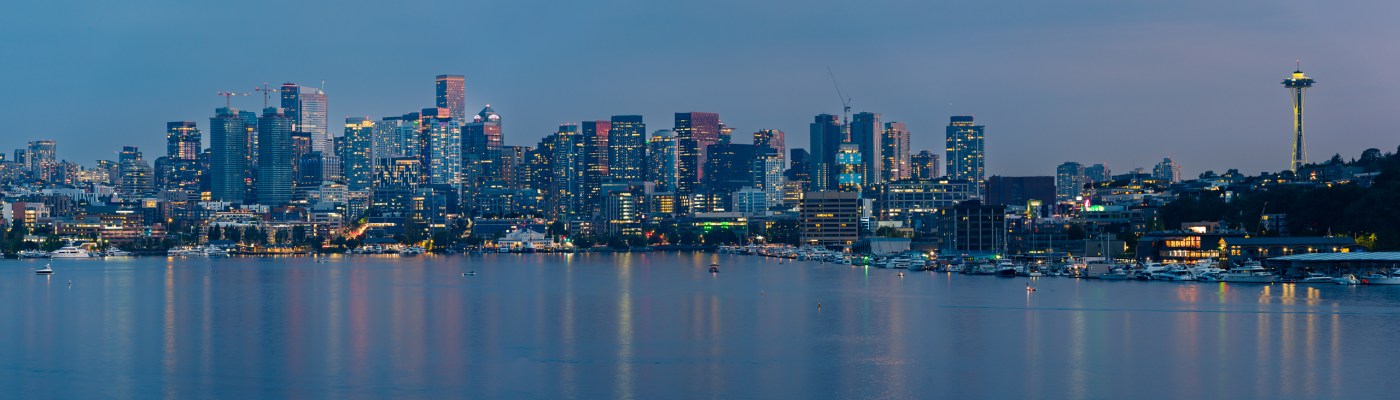
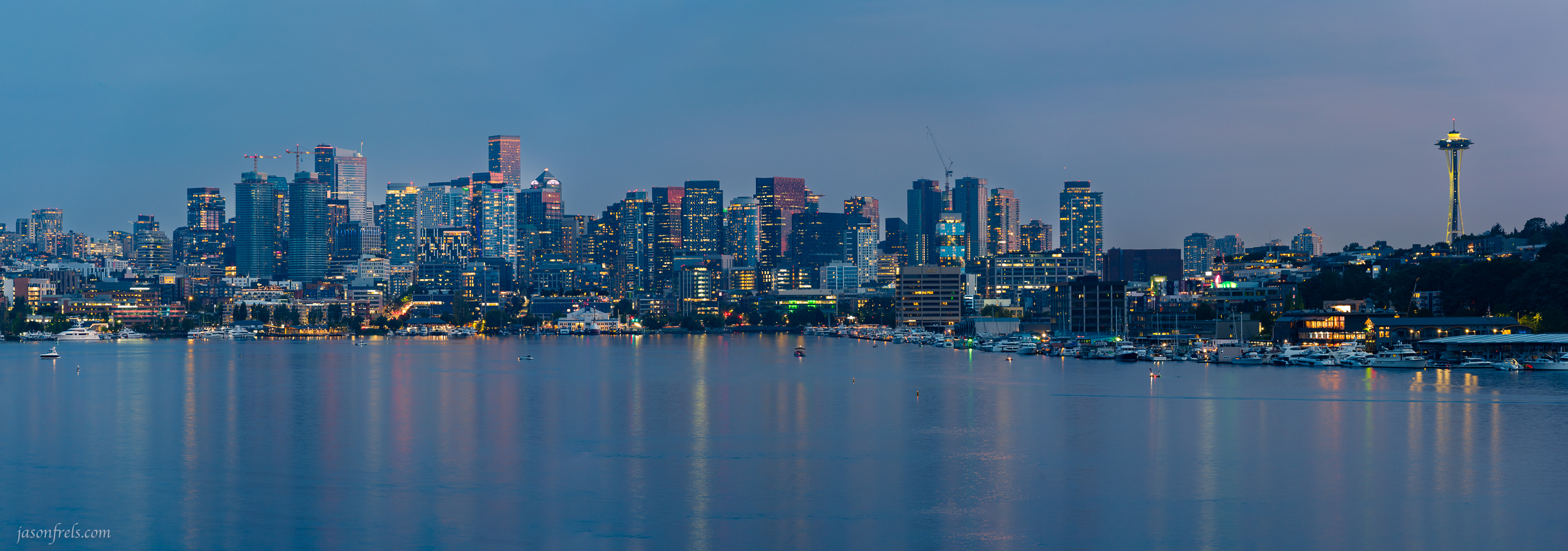
A city skylines kind of demand a panoramic format as they are typically much longer than they are tall. And this is pretty straightforward in the daytime (and without water). But I wanted a city skyline after sunset and there was a lot of water in the foreground to make things more complicated; I’ll explain. But first, I have six shots sweeping across the skyline with a healthy amount of overlap for the stitching software, Lightroom in this case.
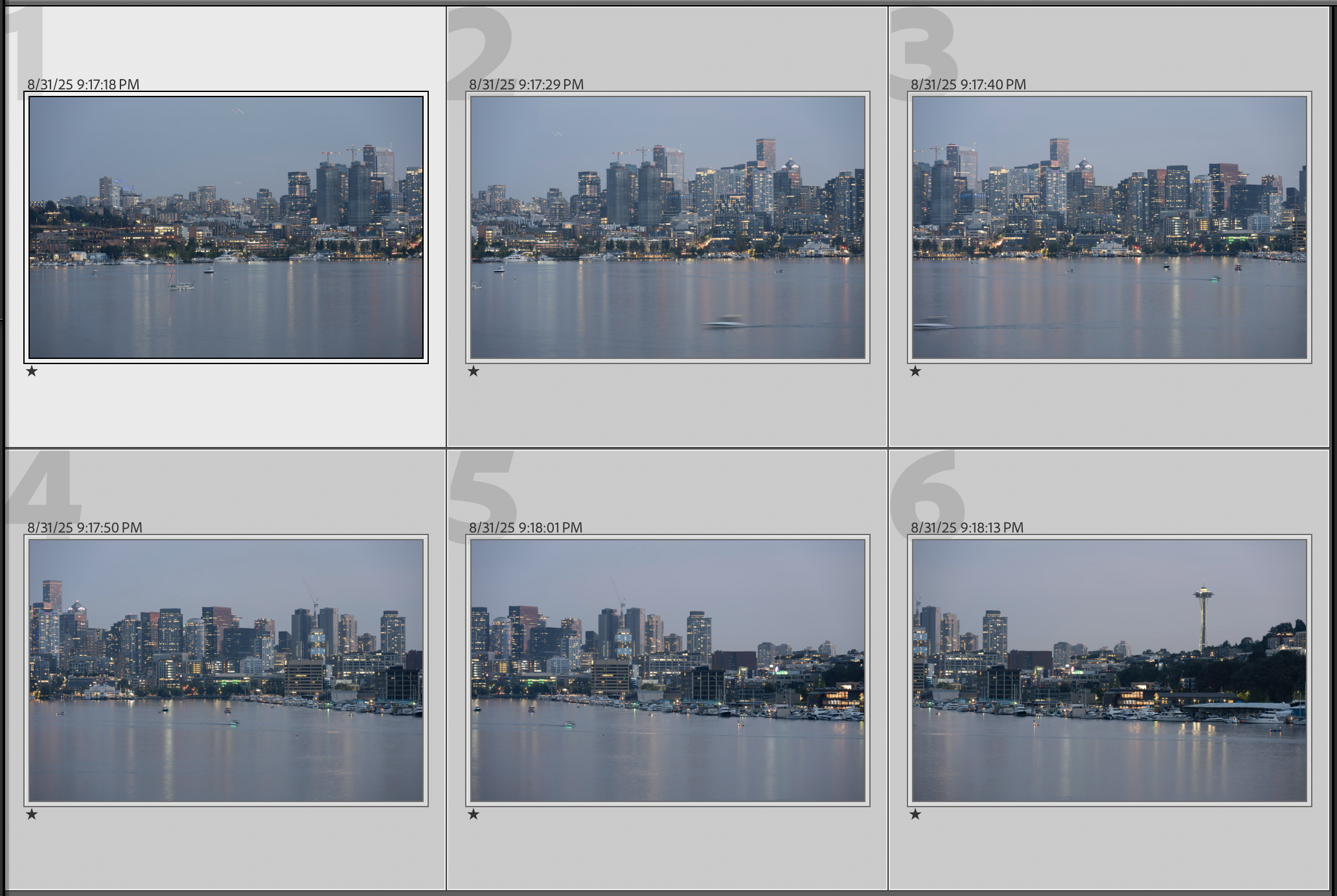
These images were shot well after sunset into blue hour. I did this because I wanted the building lights to be just brighter than the night sky without being so bright they overwhelm the sky. This required each shot to be 2 seconds plus 2 seconds for noise reduction so there was going to be some motion blur for moving objects and it was going to take me a while to get all 6 photos. And since it took about 45 seconds to get all six shots, the water had a lot of time to move during the process. So the initial stitch is kind of a mess.
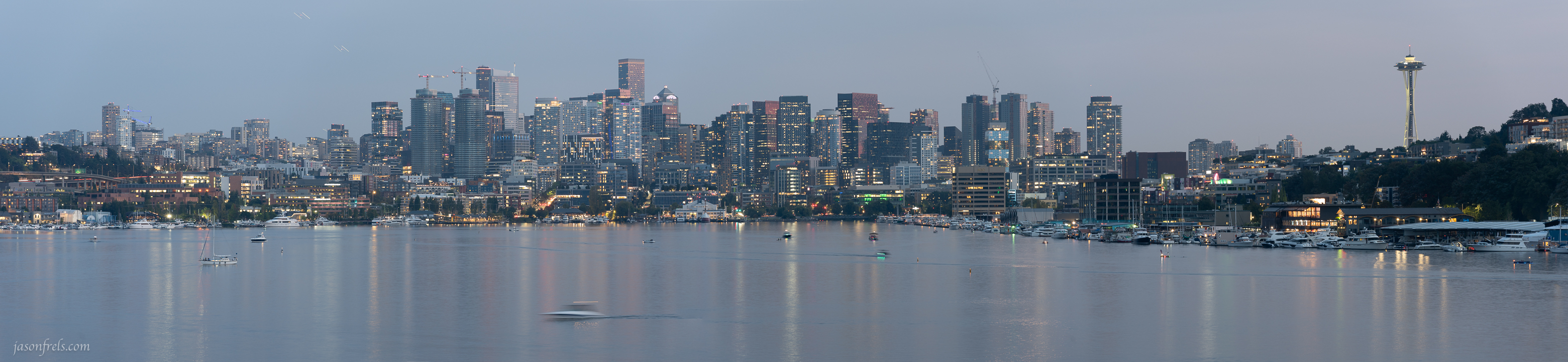
You can probably see a blurry boat in the foreground, boat wakes that don’t quite line up, a blurry airplane that shows up twice. Also the image is kind of flat because I haven’t done anything with it yet.
So, I spent a great deal of time in Photoshop eliminating blurry boats, cleaning up the lines left by the boats, removing the airplane and then went back to Lightroom for some editing. Lightroom now has a mask feature that can identify sky, water, and landscape. This allowed me to brighten and warm up the building lights, blur out the water a bit, and add contrast to the sky. I made the sky and water a little darker and bluer, did a few other things and got this. Below is my initial edit and crop.
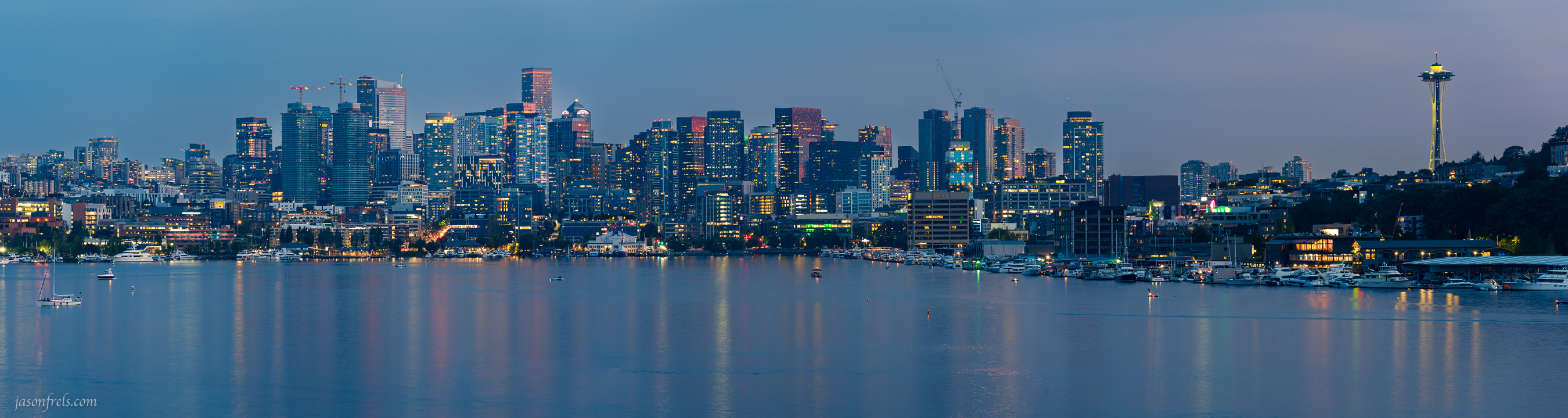
I then decided that the image was too long and needed some more sky and water. My images didn’t contain this information, so I went into the Photoshop and had it faked in by increasing the size of the crop and enabling content-aware fill. This new data was never in the scene, but the main focal point of the image is the skyline and the sky and water are just framing.
So, here is my final edit of the Seattle skyline pano stitch. What do you think?
Seattle is a lovely city and all, but I was much more interested in places like Mt. Rainier which I’ll cover in future blogs. Thanks for reading.
 Jason Frels
Jason, Nicely done. You have more patience than I in stitching panos together. Even though the process is easier with newer technology. But an overall nice image.
LikeLiked by 1 person
If you hadn’t mentioned content-aware fill, there’s no way I could know the difference. But having mentioned it, I can look at the final photo and still not know the difference. Nice job.
Have fun at Mount Ranier.
LikeLiked by 1 person
Thanks. I wouldn’t have used that except that part of the photo doesn’t make much difference aside from framing.
LikeLiked by 1 person
Your hard work in perfecting the photo that you said was a mess, and your final photo paid off. A stunning view of the water in the skyline.
LikeLiked by 1 person
I’m rather envious of your photography / photoshop skills
LikeLiked by 2 people
Seattle certainly has some beautiful views especially with Mt. Rainier. These cityscape with the water have a distinctive allure to say the least.
LikeLiked by 1 person
Very nice. And very patient!
LikeLiked by 2 people